Turn a hand-drawn wiring diagram into a clean schematic
Sketch2scheme now draws wiring diagrams and circuits with real electrical symbols, keeps ratings and wire sizes, and gives you a schematic you can edit.
Posted by
 Denis
A lot of wiring is planned on paper: the 12V system on a boat or in a camper van, a new garden circuit, a control panel, a small electronics project on graph paper. We kept hearing from boat owners and builders who wanted that sketch as a proper diagram, and the old Sketch2scheme could only turn it into a flowchart. Now it draws a schematic.
A boat's 12V system
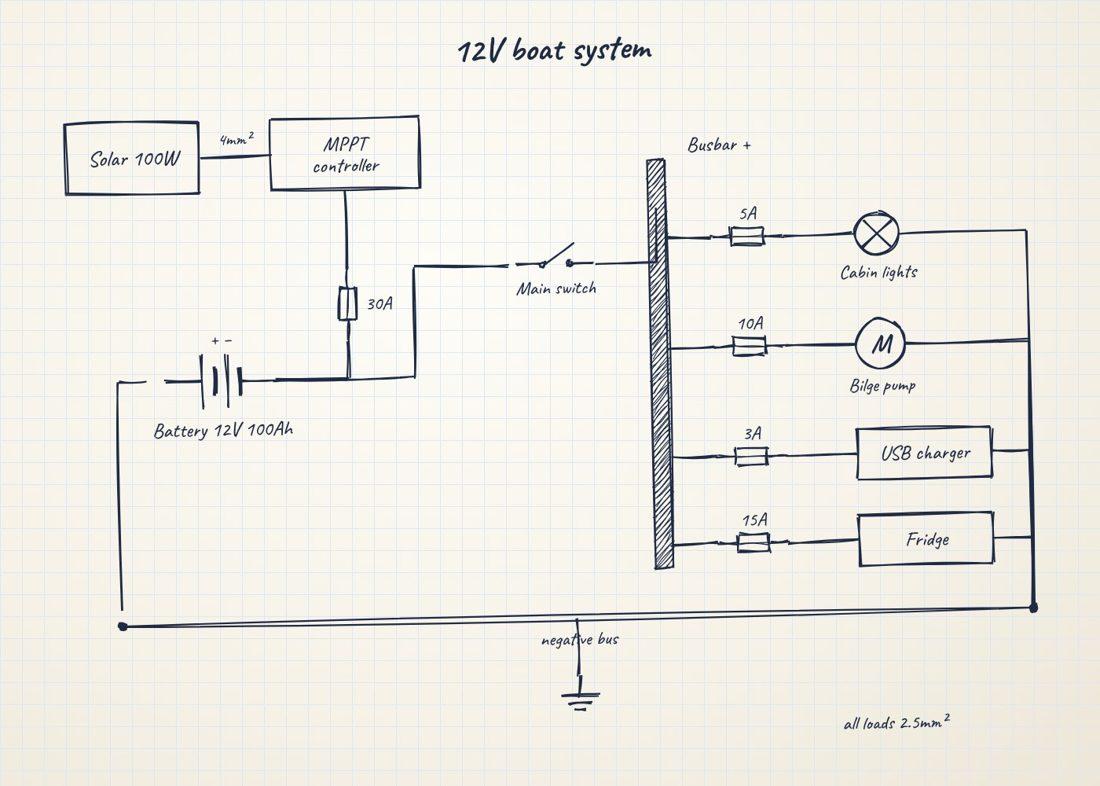
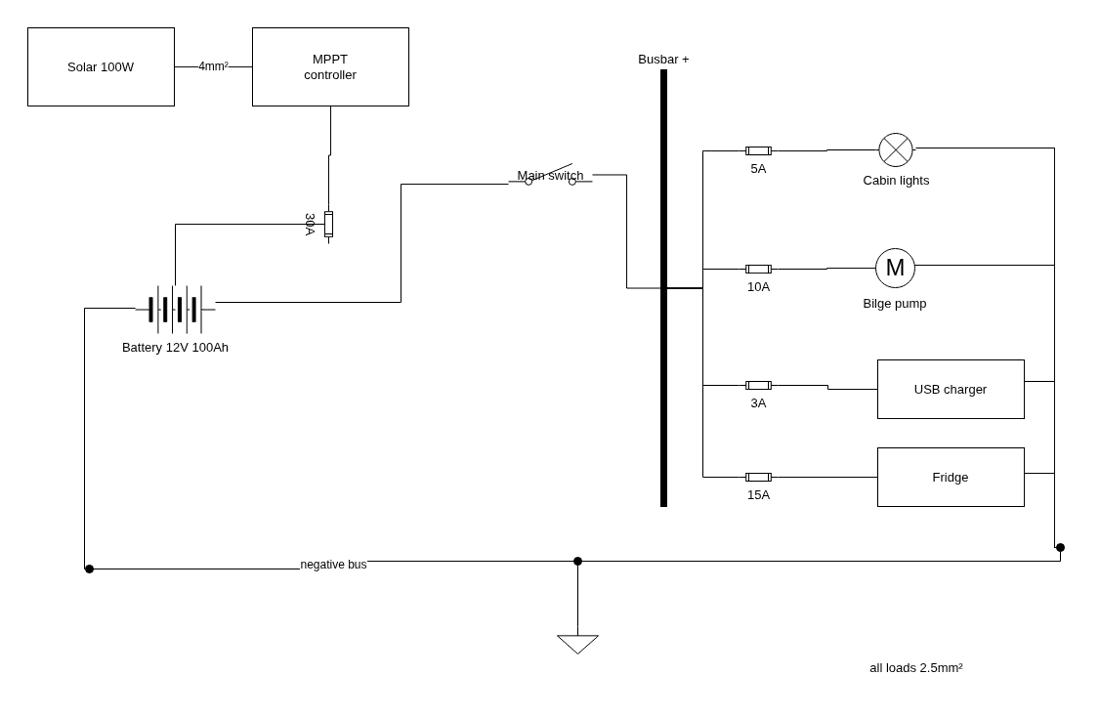
Everything in the sketch comes back as its own symbol: the battery, the 30A fuse, the main switch, the busbar, a fuse per circuit with its rating, the cabin light, the bilge pump motor, and boxes for the USB charger and fridge. Wire sizes (4mm², 2.5mm²) stay where you wrote them, the negative bus is a single line with junction dots, and the ground symbol is in place.
A mains lighting circuit
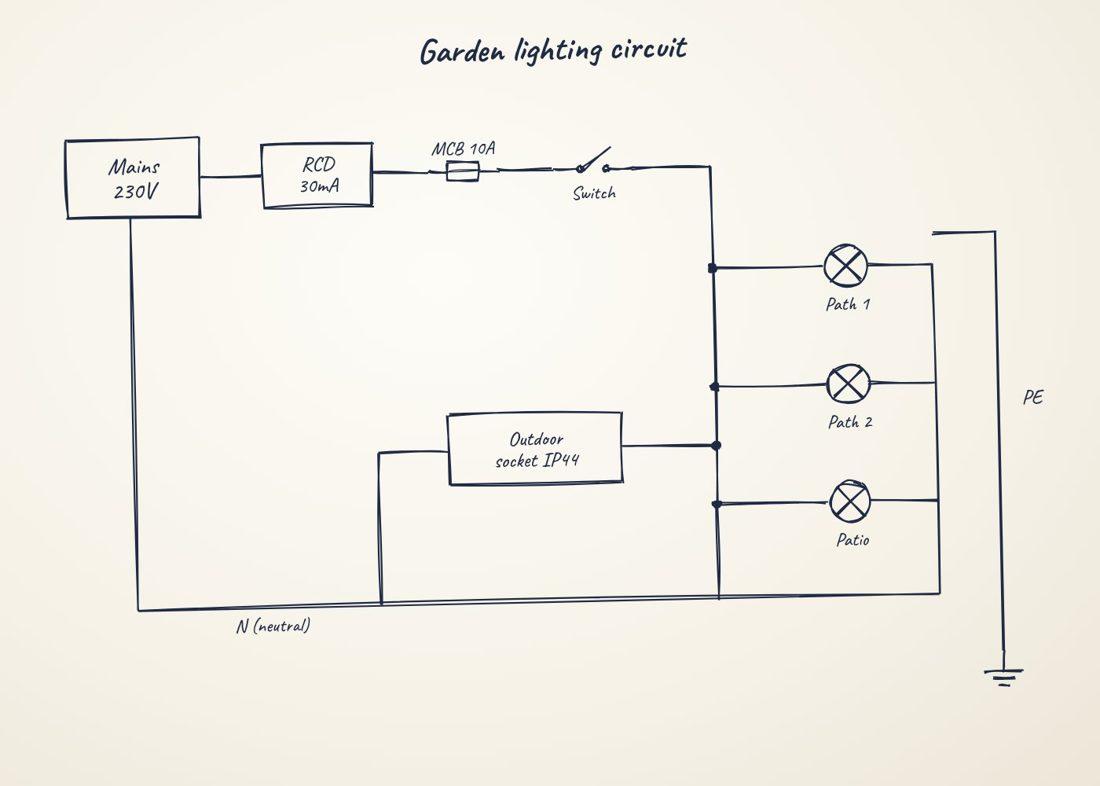
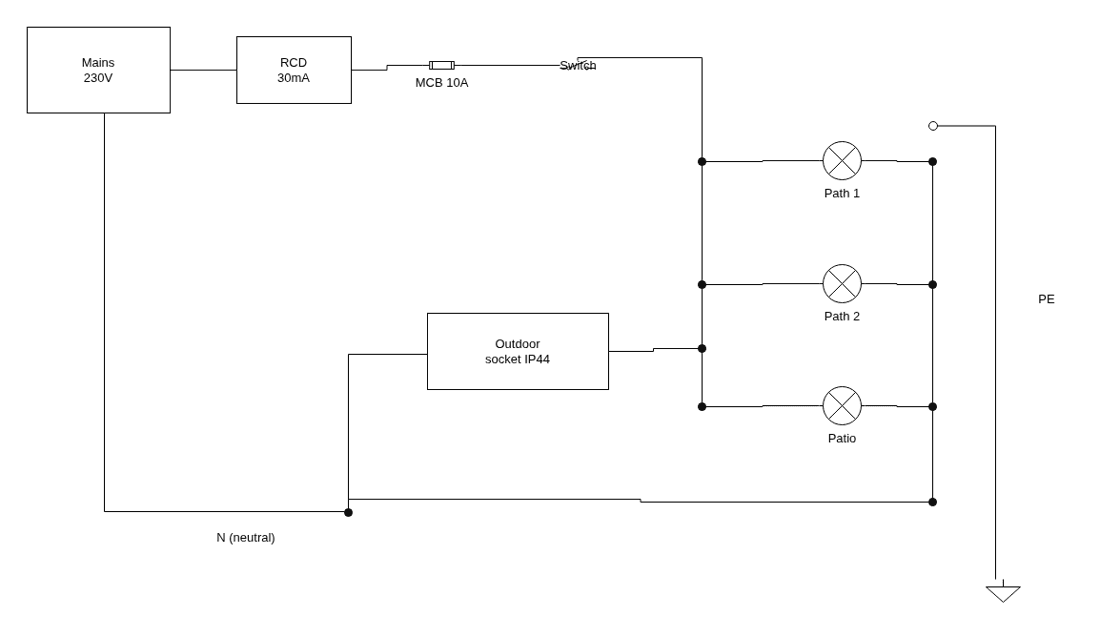
Mains supply, a 30mA RCD, a 10A breaker, the switch, three lamps in parallel, an outdoor socket, the neutral return and protective earth.
Works with real photos too
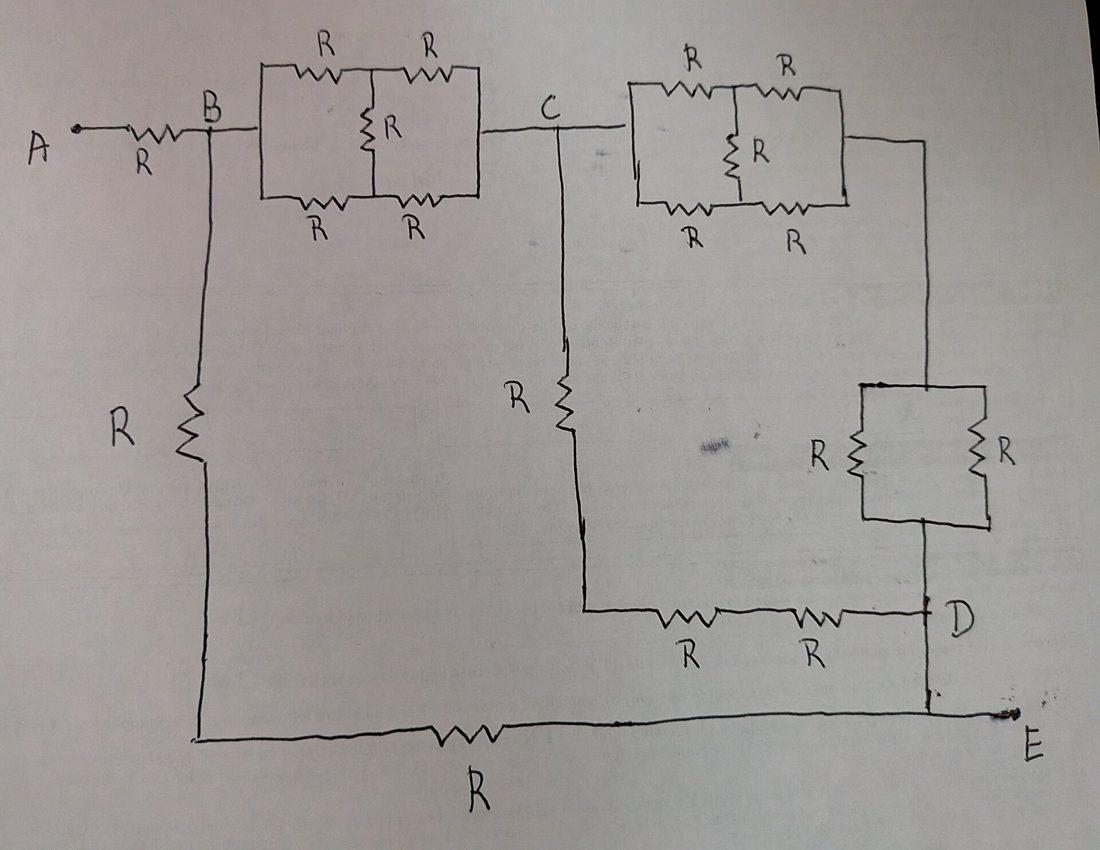
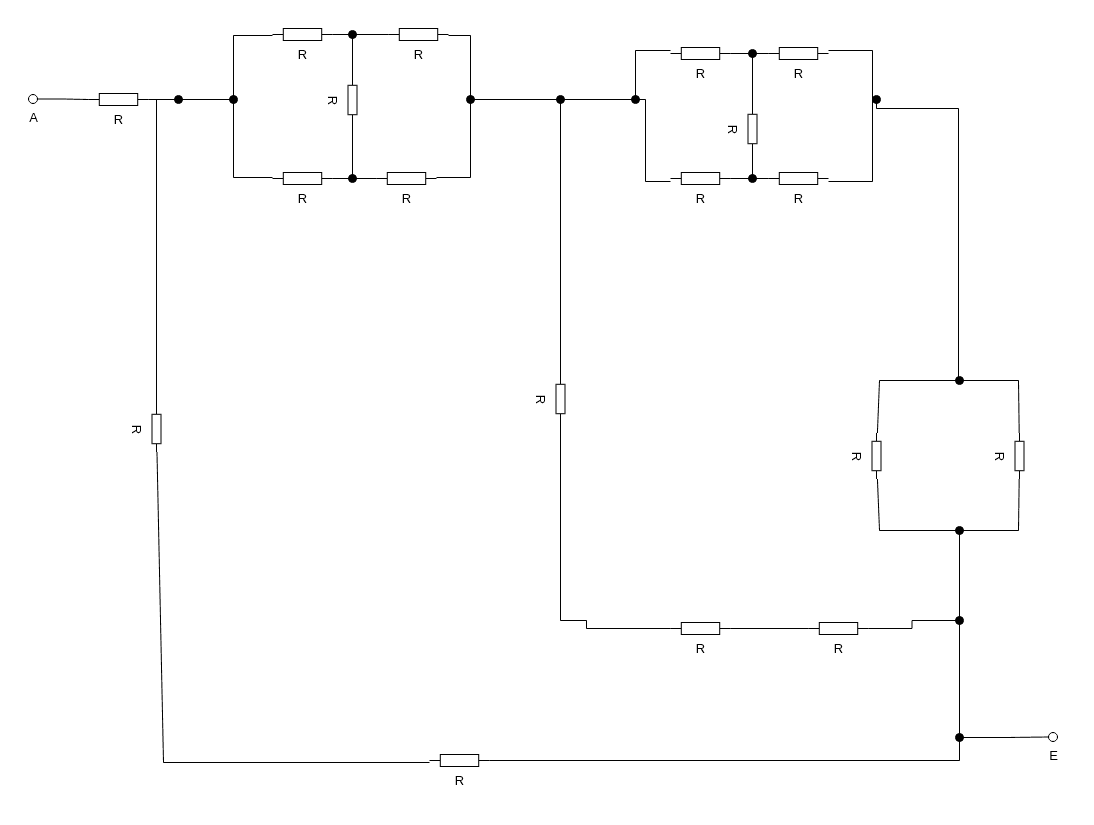
Photo: Alistairlewis, CC0, via Wikimedia Commons
This is a phone photo of a pen drawing, slightly crooked and in uneven light. Every resistor, junction and the two terminals come back in place, with the wiring straightened into right angles.
Symbols it knows
Batteries and cells, DC and AC sources, generators, fuses and breakers, switches, isolators and push buttons, relays and their contacts, motors, lamps and LEDs, resistors, potentiometers and thermistors, varistors, capacitors, coils and transformers, diodes and transistors, voltage regulators, solar panels, speakers and buzzers, meters, terminals, connectors and terminal blocks, busbars and grounds. Devices you draw as a labelled box (an inverter, a charger, an ECU) stay labelled boxes. All symbols come from draw.io's electrical library, so you can add more of the same kind in the editor.
Tips for a good result
- Draw each wire as one clear line and mark joins with a dot.
- Write ratings and sizes (10A, 24V, 6mm²) right next to the part they belong to.
- Label terminals and connectors the way they are marked on the device.
- Keep it to one system per photo; split a very large panel into parts.
Check before you wire
The diagram is a faithful redraw of your sketch, not an electrical design, and AI can misread a connection on a messy drawing. Compare it with your sketch (it is shown right next to the diagram) before you rely on it, and ask a qualified electrician for anything on mains voltage.
Convert a wiring sketch and let us know how it goes with the feedback buttons under the diagram.